
Wiki guide · Community guide
Hauling & vehicle recovery
Hitch trailers, load and secure machinery, use Machine Transport and recover stuck vehicles.
Hitch and prepare a trailer
Reverse the pickup toward the caravan drawbar, line up the tow ball with the coupler and use the hitch action. Stop at the destination before unhitching.
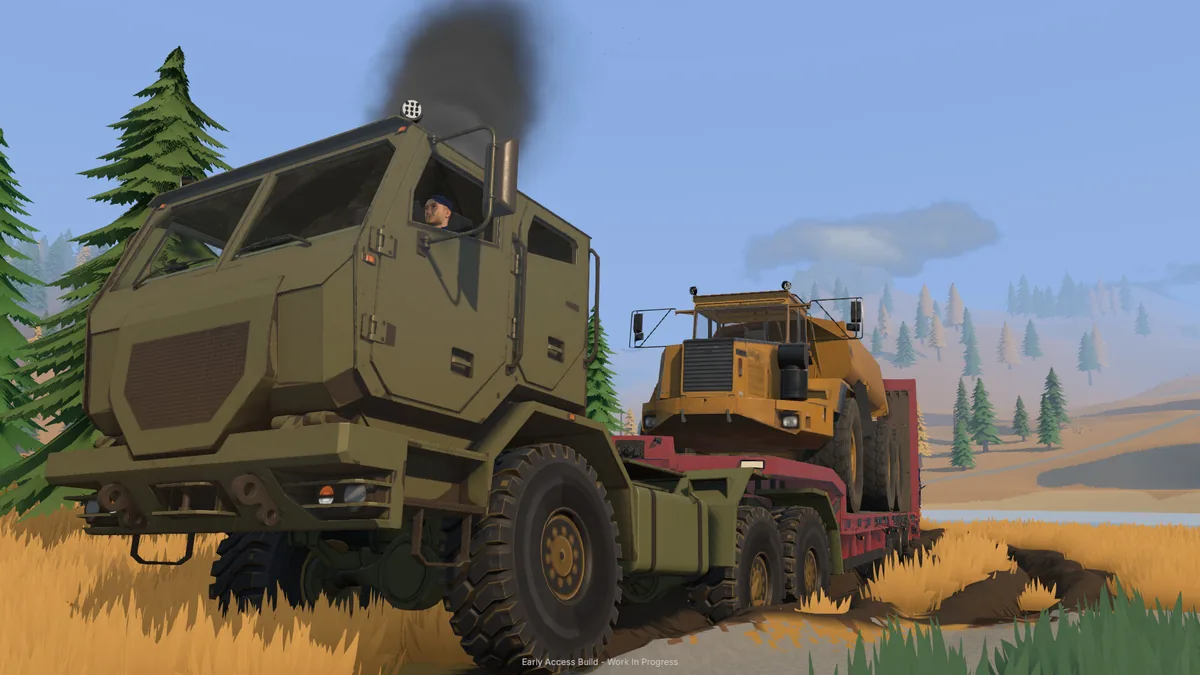
Heavier trailers use a fifth-wheel connection. Match the hitch alignment and height to the trailer. The platform trailer uses folding loading ramps; the low loader has a detachable deck/gooseneck arrangement.
Update 0.1.3.3 improves reversing near trees. Pickup suspension support with loaded trailers was improved in the 0.1.3.2 preview. Leave room to align the hitch before backing up.
Load the low loader and secure cargo
- Stop on suitable ground. Apply the parking brake before deploying the trailer.
- Lower the deck. Use the deploy action. The gooseneck stays with the tractor while the deck is available for loading.
- Drive the load on. The vehicle must fit on the deck, be stopped and have its parking brake applied.
- Secure the cargo. Use the cargo action beside the loaded trailer or from its tractor. The game requires cargo to be secured or removed before stowing.
- Reconnect and stow. Reverse the gooseneck back toward the deck at a matching height, then reconnect and stow.
Sideboards can be extended or retracted while stopped. Check the catalog's deck dimensions and payload rating when choosing a load.
Trailer transport and tie-downs for conveyors and feeders were included in the 0.1.3 preview, along with improved low loader ramp alignment. Use the cargo action to secure these machines.
Follow the full low loader loading and tie-down guide.
Understand trailer loading warnings
- Deck and gooseneck heights differ: reconnect from the deck's own level.
- Too far from the deck: reverse the gooseneck back into the indicated range.
- Hitch will not capture: check alignment, fifth-wheel height, ground slope and whether the connection is already occupied.
- Cargo action unavailable: make sure the load fits, is stationary and has its parking brake set.
Release secured cargo before trying to reset it or move it with Machine Transport.
Use Machine Transport
Machine Transport moves company equipment without driving or towing it across the map. On foot, select the transport tool, cycle to the machine or trailer you want and aim at its destination.
The tool shows a ghost of the selected load and the price. In 0.1.3.3, moves within 25 metres are free. Check the displayed cost for longer moves before confirming. The tutorial’s instructed loader move is prepaid.
Unhitch trailers and release secured loads first. Trailer transport warnings also require unloading when applicable. A suspended gold room must be released from its lifting ropes before transport.
Mouse-wheel and trackpad scrolling through the transport list was improved in the 0.1.3.2 preview.
Recover a stuck or overturned vehicle
The mud guidance recommends keeping momentum and using the differential locks. Check the vehicle control list for the lock action.
For winching, select a suitable tree or vehicle attachment point, connect the winch and reel it in. An anchored target can pull your vehicle toward it; a free target can be towed toward you. The help also includes recovering other players from mud.
The controls include a hold-to-upright vehicle action for rollovers. Check the current binding in the vehicle's help. Disconnect the recovery winch before actions that require it to be stowed.
Refuel machines in the field
The fuel trailer can carry 4,000 litres from the yard pump to machines at the worksite. Use the refuelling interaction and watch the transfer prompt for tank level and litres moved.
Keep an eye on the machine's fuel gauge. The drill's no-engine-power warning specifically points to refuelling the truck.
Look up fuel tank sizes in the Machine Dealer catalog. See Easy fuel prices when planning a fill.