
Wiki guide · Community guide
How to Sell Gold in Groundwork Simulator
Learn how to sell gold in Groundwork Simulator, reduce price drops with smaller sales, and run your wash line and cleanup table.
Collect, file, and sell your gold
- Collect the jar. Interact with the cleaned-gold jar at the table.
- Store/file the gold. Put the collected gold into storage. The tutorial explicitly requires this recording step before a sale.
- Open Gold Prices. Use Sell Filed Gold to sell the recorded gold.
Gold buyer bonuses, price booms, and small sales
In version 0.1.3.5, the buyer bonus starts at +2% after 7 in-game days without selling gold. It rises by 2 percentage points per day and caps at +50% after 31 days. Days count toward the streak even when you have no gold. The streak resets at midnight after a day in which you sold gold.
Gold-price booms now occur every 5–15 in-game days, compared with 13–17 days before. Check Gold Prices after the daily price refresh at midnight (00:00) in-game.
In 0.1.3.5, the theoretical maximum opening offer is €297.60 per gram before any sales that day. That combines the €124/g base-price cap, a 60% boom boost at that base price, and the 50% buyer bonus after 31 days without selling. The calculation is €124 × 1.60 × 1.50.
In a test of the game's market code, the highest opening offer was €297.36/g. At that offer, the game quoted €29,580 for 100 g, or €295.80/g on average. The average can be lower than the opening offer because the price drops as you sell.
If you need cash sooner, sell gold in small batches to limit the price drop. Aim to sell 10% or less of your gold per in-game day. If you start the day with 1,000 g, aim to sell no more than 100 g total that day.
If you’re holding gold, keep enough company cash for the morning equipment and loan deductions.
The cleanup record lists completed cleanups newest first. A cleanup outside a recognized claim is recorded with an n/a claim location.
When selling loaded or connected equipment in 0.1.3.3, check the company safe for recovered gold from the sale.
Start the wash line before feeding dirt
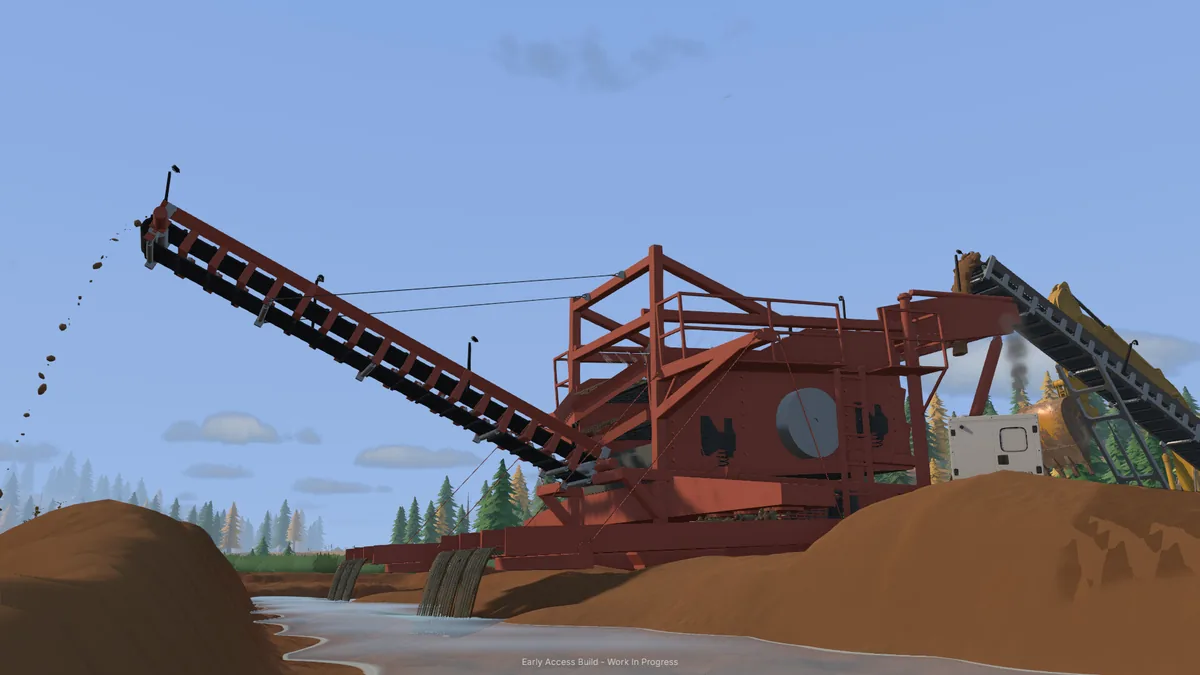
The family claim tutorial uses the mobile trommel, a small conveyor, pumps and a generator trailer.
- Set up the trommel. Unhitch it if necessary and use its setup action. Wait for the legs and sluice to unfold.
- Supply water and power. Complete the two-pump water route, park the generator close enough to supply the trommel and start it.
- Prepare the feed. Keep the conveyor stopped while loading its receiving hopper.
- Run the trommel, then the conveyor. The drum and spray bar should be running before the conveyor feeds material into them.
Use the controls shown at each machine. The tutorial's small first load is a setup exercise; equipment capacities are listed in the Machine Dealer catalog.
Trommel water flow and washing speed
The mobile trommel needs more than 10 L/s at its inlet and at least 18 kW to spin up once deployed and switched on. The water reaching the inlet limits how quickly the drum can wash material.
| Water at the inlet | Material washed per hour of processing |
|---|---|
| 20 L/s | About 25 m³ |
| 50 L/s | About 62 m³ |
| 100 L/s | About 124 m³ |
These rates assume the drum is at full speed with a steady supply of material and power. Washing speed reaches its cap at 100 L/s.
Before starting another run, check the conveyor for leftover material and line up the tailings outlet with the truck bed or conveyor intake. Update 0.1.3.3 improves clearing old conveyor loads and fixes overflowing trommel material lifting trailers.
According to the 0.1.2 preview, trucks and buckets retain material when the receiver is full, and conveyors pause and resume as room becomes available. Check downstream capacity before adding more feed.
Transfers between conveyors and into truck beds are covered in the 0.1.1 preview. Position the receiving equipment under the discharge before starting the feed.
Follow the full Family Claim washplant setup.
Stop the plant and remove the concentrate
- Finish the wash run. Let the material complete processing, then switch the trommel off.
- Wait for a full stop. The drum and spray bar must stop before removing the sluice mats.
- Empty the sluice. Interact with its mats/riffles. The recovered heavy concentrate is placed on a cleanup pallet beside the sluice.
- Carry it to the cleanup table. Pick up the pallet and put it at the table to continue processing.
Emptying the concentrate is different from stripping the plant for transport. Read the material-loss warning before stripping equipment that still contains material.
Run unattended gold cleanup
Start the cleanup table after delivering the pallet. It separates the remaining dirt from the concentrate. The help lists 125 g per game hour for the portable table and shelter and 250 g per game hour for the container gold room.
Normal cleanup can run while you work elsewhere or sleep. The regular cleanup help permits collecting cleaned gold from the jar while processing continues; an empty replacement jar takes its place.
Update 0.1.3.3 fixes paydirt falling through gold-room floors and stones rising through tailings.
Read daily wash production
The daily production view covers fixed washplants and mobile trommels. Select a day to inspect its results.
- Dirt washed
- The material processed during the selected day.
- Gold recovered
- The recovered gold recorded for that day's processing.
- Wash efficiency
- The help defines this as recovered gold per bank cubic metre washed. It is a gold yield per volume, not a percentage of all gold captured.
Use the selected day and the amount washed when comparing runs. A higher recovered total can come from processing more material as well as from richer paydirt.
Update 0.1.3.3 fixes duplicate processing statistics in the production view.